 PVersion
Shelving work
Keep unfinished work on the server without submitting it, and carry on where you left off on another computer.
Work you haven't submitted exists only on your computer: if the disk fails or the computer is stolen, it's gone. Shelving keeps a copy of your unfinished work on the server without submitting it. The team doesn't see or get your shelf, but even if something happens to your computer, the work is safe on the server and you can pick it up from another computer.
Shelve
- Look over the work in My changes.
- Click Shelve in the toolbar.
- The status line says how many files were shelved. A line like "On the shelf: 15 files · 16.10 23:29" appears under the My changes title.
Shelving doesn't touch your files: they all stay on your computer and in My changes, and you submit them whenever you like.
What gets shelved is the files in My changes that have been added on the server: your new, changed and deleted files. Files that couldn't be added because someone else has them, and files waiting in Cannot be submitted because their names break the rule, aren't shelved. If there's nothing to shelve, the status line says "No open changes to shelve."
Automatic shelving
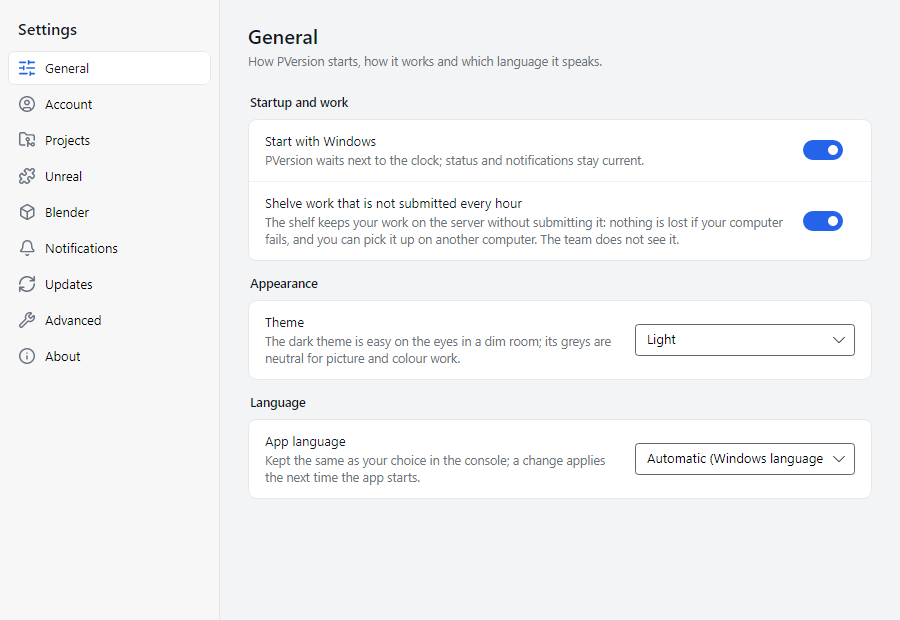
PVersion shelves your unsubmitted work by itself once an hour. The setting is the Shelve work that is not submitted every hour switch under Settings → General, and it's on to begin with.
- It only runs when there's unsubmitted work and an hour has passed since the last shelve.
- It happens without you doing anything; a line like "Auto-shelve: 12 files kept on the server." is written to the Recent activity page.
- If you turn it off, the shelf is only updated when you click Shelve.
Carrying on on another computer
You started something at the office and want to carry on at home:
- On the office computer, click Shelve (or wait for automatic shelving).
- On the other computer, open the same project in PVersion. If the project isn't set up on that computer yet, set it up first; see Your first project.
- Close Unreal or Unity.
- At the top of My changes you'll see a line like "Your shelf on another computer: OFFICE-PC · 15 files · …". Click Bring to this computer.
- The shelved files come to this computer and are listed in My changes. Carry on from here and submit when you're ready.
What happens to the shelf when you submit
When you submit a file, its shelved copy is removed automatically. When nothing is left on the shelf, the shelf itself goes. Shelved copies of files you submitted some other way (from inside Unreal, for example) or discarded are also cleaned up shortly, while PVersion is running. So the shelf only ever holds work you haven't submitted yet.
What the shelf isn't
- It isn't a submission. The team doesn't get your shelved work; for that you need to submit it.
- It isn't a backup archive. The shelf keeps the latest state of your work, not earlier ones.
- It doesn't release locks. Locked files you shelve stay with you; see File locks.
Ask the assistant on the site or write to [email protected].